⚠︎ Risk warning: leveraged derivatives on unregulated platforms — you can lose everything you deposit. Not investment advice.
The dYdX Screen, Explained
Definitions verified against dYdX's official docs and help center on 2026-07-23. Screenshots are from our own account, taken the same day — the numbers in them were live then and will differ now.
dYdX's trade screen looks a lot like Hyperliquid's — order book, chart, order panel — but the details differ in ways that matter, starting with how leverage works and ending with a Spot tab that isn't what a newbie expects. This page walks the interface control by control, using screenshots from our own account. New to dYdX entirely? Start with the how-to-start guide; new to perps? Read the perpetuals explainer first. We did the same tour for Hyperliquid's screen if you want to compare the two.
The Trade Screen at a Glance
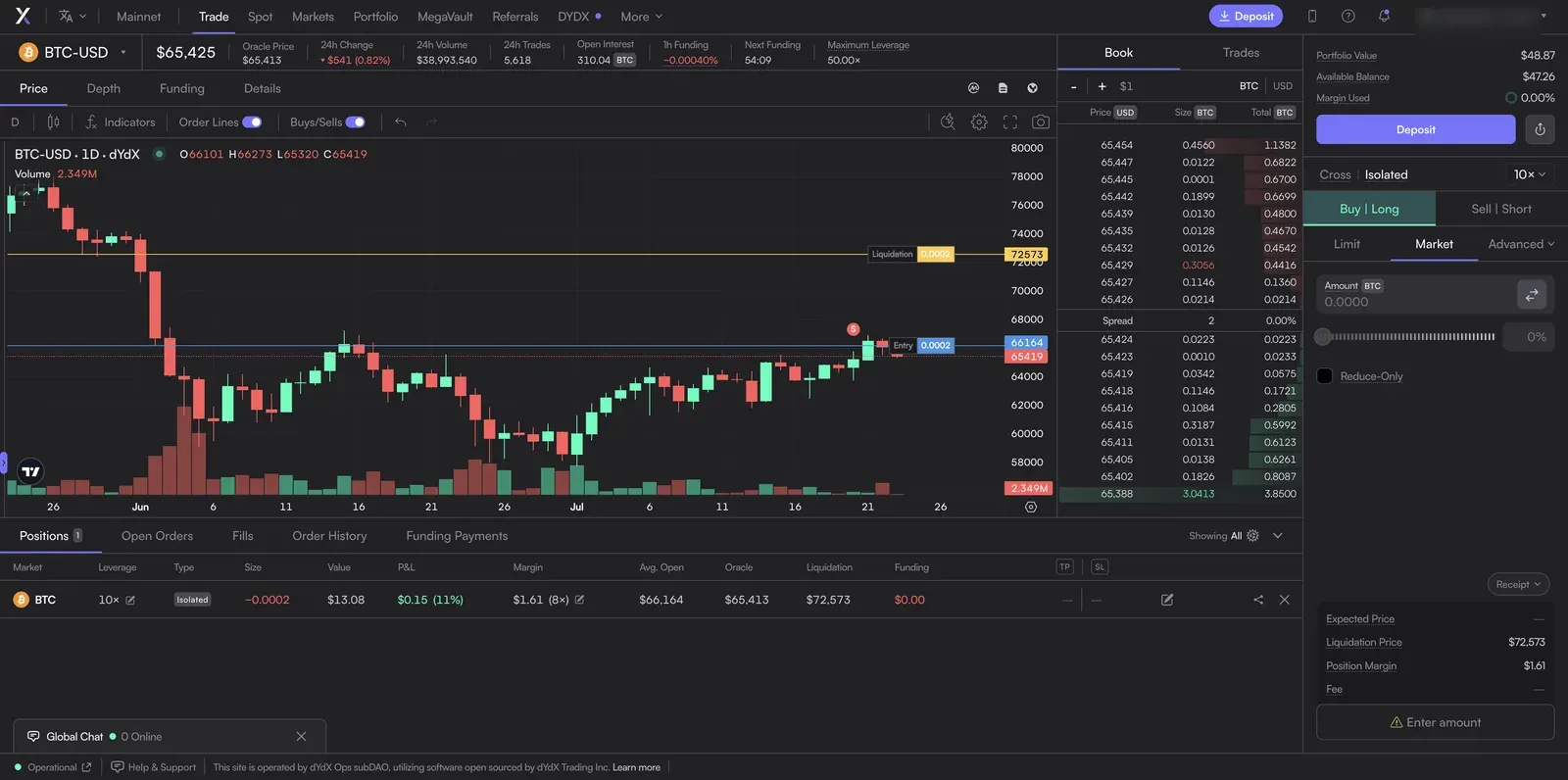
The layout: a market header across the top, the chart, the order book, and the order panel on the right, with your positions along the bottom and a persistent account panel in the top-right corner.
The Market Header
dYdX leads with Oracle Price rather than a mark price. Per the docs, the oracle price is an aggregated price computed by the network's validators, and it's what determines "when an account should be liquidated" — so it's the number your survival hangs on. 1h Funding is exactly that: dYdX charges funding every hour, and the displayed rate is the hourly one (our dYdX fees page covers the formula). Next Funding counts down to the next hourly settlement. Maximum Leverage is the per-market cap — 50x on BTC here — and per the docs a trade that would push you past it is simply rejected; the cap also tightens as a market's open interest grows.
Cross vs Isolated — and dYdX's Subaccount Twist
The Cross | Isolated toggle sits right next to the leverage button. Per the official help center, cross positions "share the same collateral pool," while isolated positions "require a subaccount to hold no other perpetual positions and have separate collateral and insurance funds specific to each." The practical version: in cross mode all your positions back each other (efficient, but one bad position can drain the rest); in isolated mode each position is walled off with its own margin. For a first trade, isolated keeps a mistake contained to that one position. dYdX implements isolated positions using hidden "child subaccounts" under the hood — a mechanical detail you don't need to manage, but it's why the docs talk about subaccounts.
Target Leverage: an Input, Not a Label
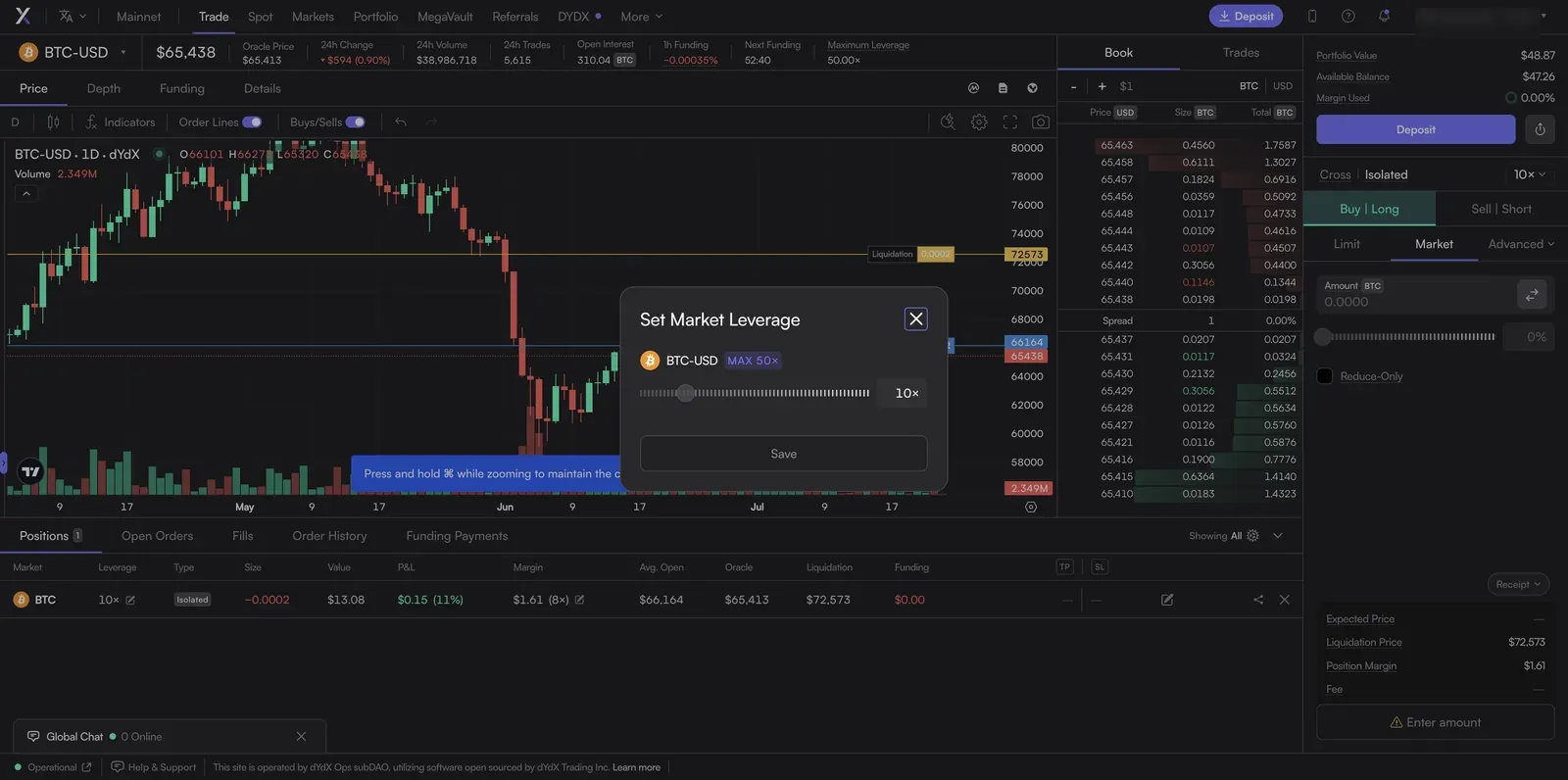
Clicking the leverage button (the "10×" chip) opens this Set Market Leverage dialog. Here's the part newbies miss, straight from the docs: target leverage "determines the amount of collateral transferred on a trader's next order." It doesn't re-lever a position you already hold — it decides how much margin gets allocated when you place your next order. The docs' own example: at 5x target leverage, a $100 BTC market order transfers $20 of margin to the position. So think of the leverage setting as "how much of my balance to commit per trade," not a switch that changes an open position's risk.
Market, Limit — and the Advanced Menu
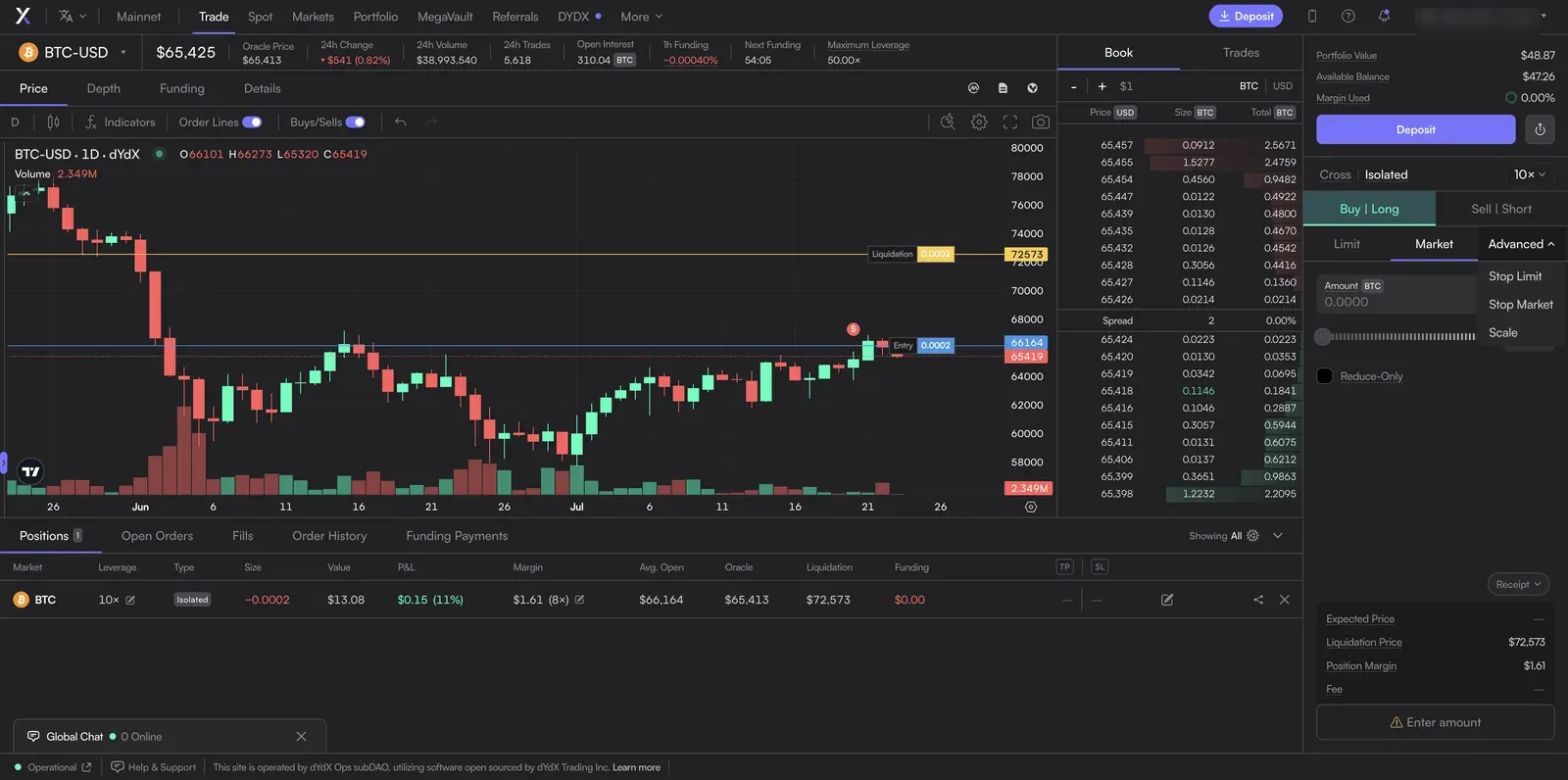
The order panel's tabs are Limit, Market, and Advanced. dYdX's docs formally define six order types; the ones in this dropdown:
- Market — executes immediately at the best available price. Certainty, at the cost of the spread.
- Limit — fills only at your price or better, and may never fill.
- Stop Market — per the docs, "closes a trader's position once the Oracle Price or the last traded price crosses the trigger price," then executes as a market order (10% max slippage). The classic protective stop.
- Stop Limit — same trigger, but places a limit order instead of a market order once it fires, so you control the price (at the risk of not filling).
- Scale — visible in the menu but, unlike the others, not among the six order types dYdX's docs formally define. From the interface it lays a ladder of limit orders across a price range (the standard "scale order" idea); since dYdX doesn't document it, treat that as our plain-language reading, not an official definition.
dYdX's other two documented types — Take Profit Market and Take Profit Limit — are the profit-taking mirror of the stops, usually set through the Take Profit / Stop Loss checkbox on the order form (the TP / SL buttons also appear on an open position in the bottom table). All of these trigger on "the Oracle Price or the last traded price," per the docs — worth knowing, since that's not necessarily the last number you saw tick. The Reduce-Only checkbox makes an order only ever shrink a position; on dYdX it's compatible with any order type as long as the order is immediate-or-cancel.
The Account Panel and the Receipt
Top-right shows Portfolio Value, Available Balance, and Margin Used — the labels are what the app displays; dYdX's docs don't define these three exact terms, so read them plainly as your total account value, what's free to open new positions with, and how much collateral is currently committed. The closest documented concept is "free collateral" (account value minus initial margin requirement). Below the order form, the Receipt previews the trade: Expected Price, Liquidation Price (the number to respect — dYdX publishes the exact formula, and our fees page and perps guide cover the mechanics), Position Margin, and Fee.
The Bottom Strip: Your Positions
Once open, the position table is your dashboard: Leverage, Type (Cross or Isolated), Size, Value, P&L, Margin (with an edit pencil to add or remove collateral — which moves your liquidation price), Avg. Open, Oracle, Liquidation, and Funding accrued. The TP/SL controls attach exit triggers to the position after the fact. The position shown in our screenshot is a real one we opened on our own account — a small BTC trade at low leverage — not a mockup; we publish it so the table's columns are illustrated with actual numbers rather than staged ones.
The Markets List: "Launchable" Markets
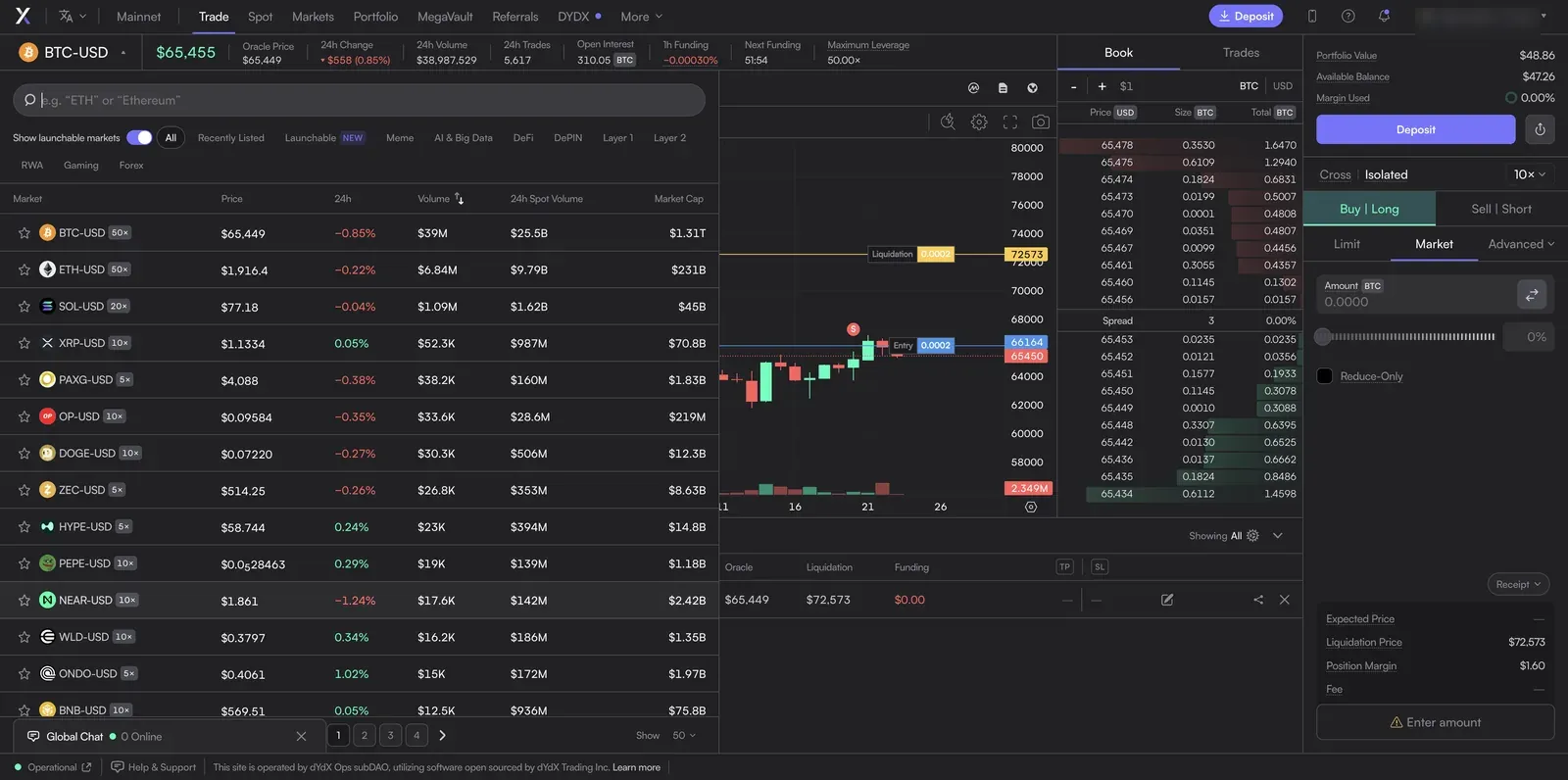
Opening the market selector shows every perp with its own maximum leverage (note how it drops from 50x on BTC/ETH to 5x on smaller markets — the venue lowers leverage on thinner, riskier assets). The "Launchable" filter and the "Show launchable markets" toggle surface markets that can be permissionlessly spun up — a lot of long-tail and meme tickers. For a newbie the takeaway is simple: the presence of a market says nothing about whether trading it is a good idea, and the low leverage caps on obscure tickers are the venue telling you they're risky.
Spot: Not What You Expect
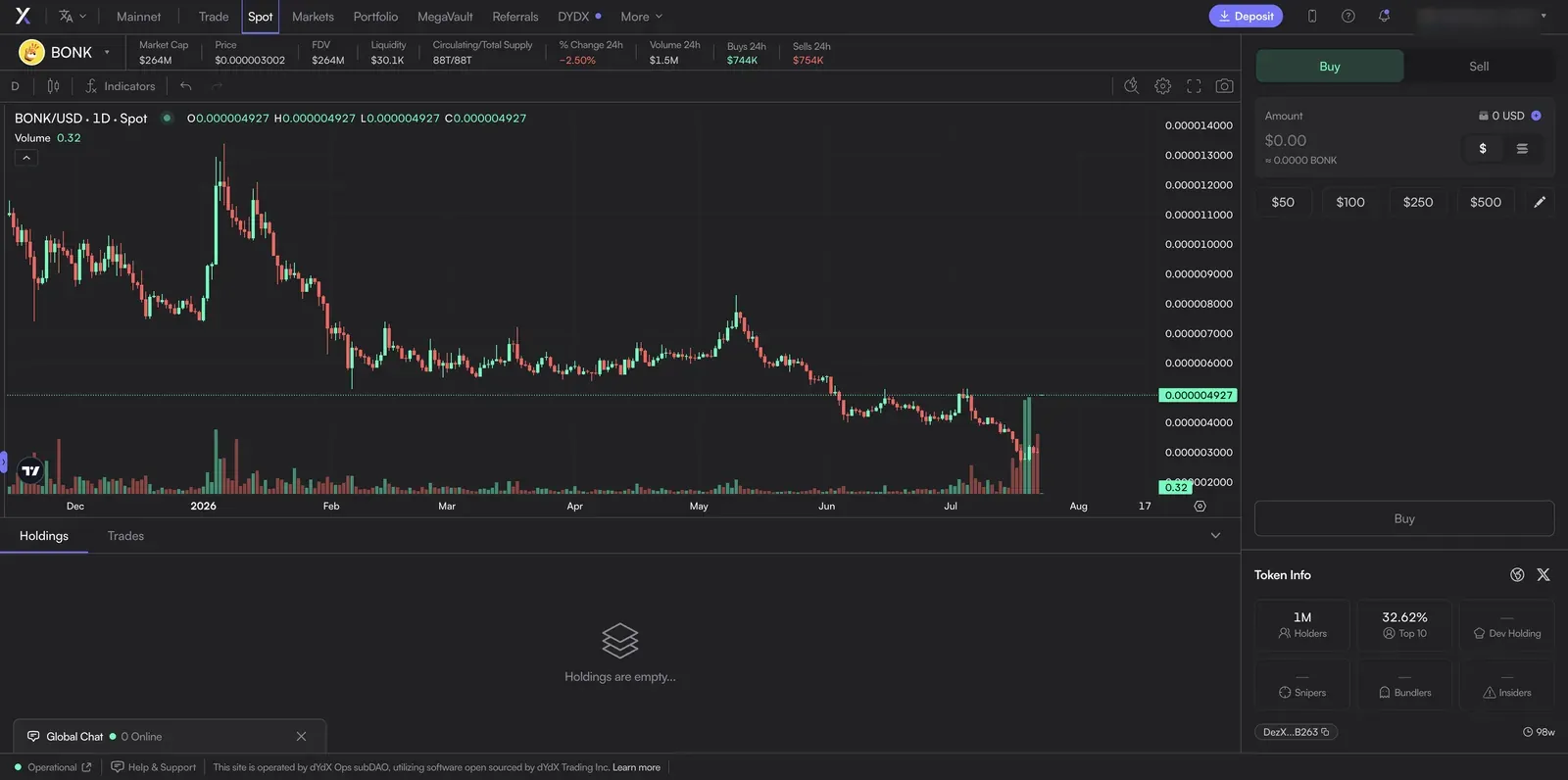
This surprises people: the Spot tab isn't spot versions of BTC and ETH — it's a Solana memecoin terminal. It lists tokens like BONK with market-cap, holder, and "snipers/bundlers/insiders" metrics and one-tap $50–$500 buy buttons. This is a different activity from perp trading entirely — buying volatile low-cap tokens outright — and the risk profile is its own thing. We flag it here only so you know what the tab is; it's not part of the perps workflow this site is built around, and the quick-buy presets are designed to make impulse buys frictionless. Treat it with the caution that framing deserves.
Beyond the Trade Tab
MegaVault — Read the Banner
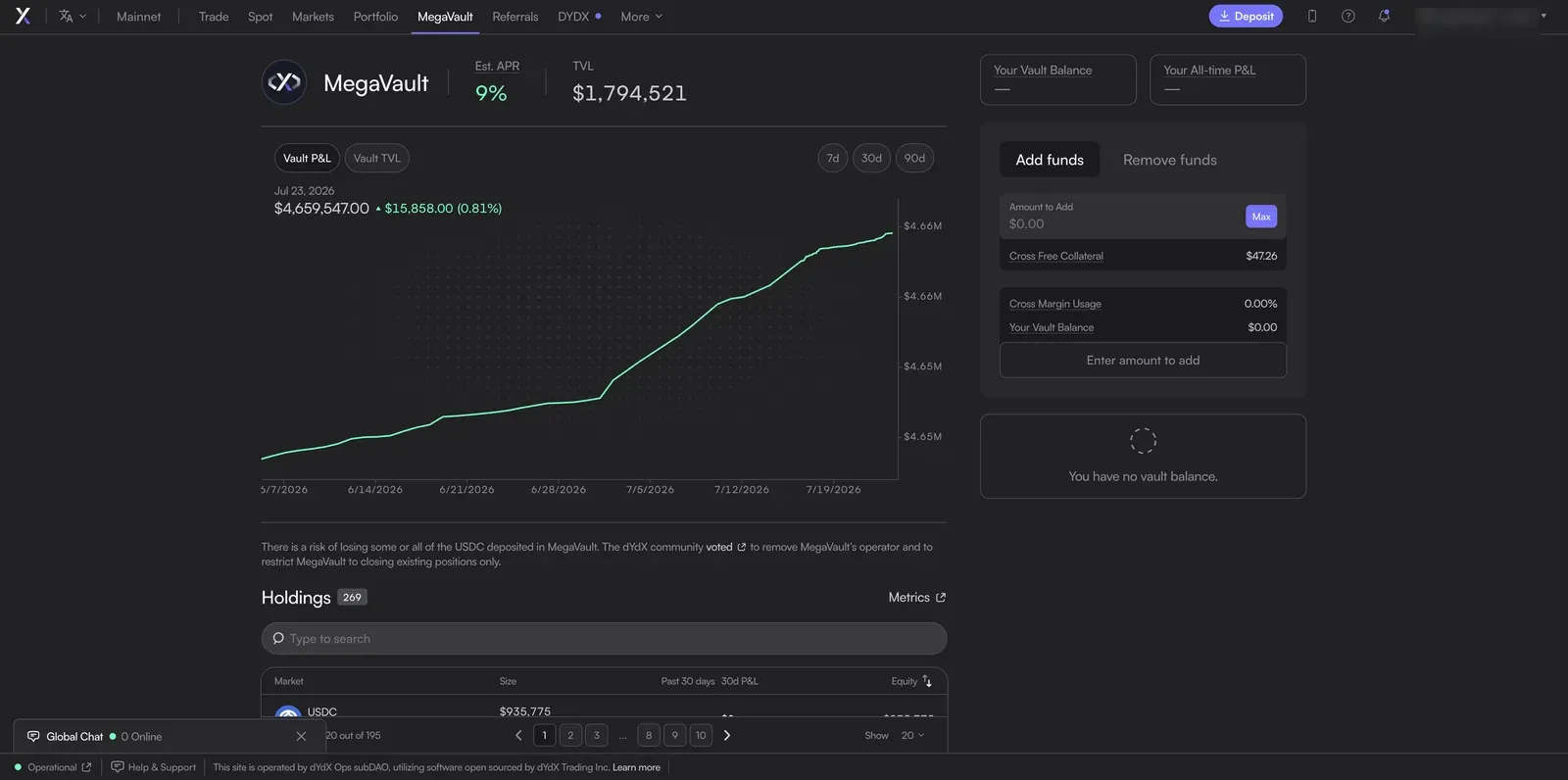
MegaVault is dYdX's answer to Hyperliquid's HLP: deposit USDC, and it's used to run automated market-making strategies across dYdX markets, sharing the returns. But note the banner in the screenshot, which is the current reality as of our capture: "The dYdX community voted to remove MegaVault's operator and to restrict MegaVault to closing existing positions only." In plain terms, MegaVault is being wound down — it's not actively taking new market-making positions, and the displayed 9% APR describes a product in closing-only mode. Don't read that number as a live earning opportunity. This is exactly the kind of thing our earning guide means when it says vault "yields" are realized results of a specific mechanism, not a savings rate. MegaVault is also the extent of dYdX's pooled products — an enumeration of dYdX's documentation (2026-07-30) shows no copy-trading product, so there's no route to follow a specific trader the way Hyperliquid's user vaults or Lighter's community pools allow.
The DYDX Tab: Staking and Liquidation Rebates
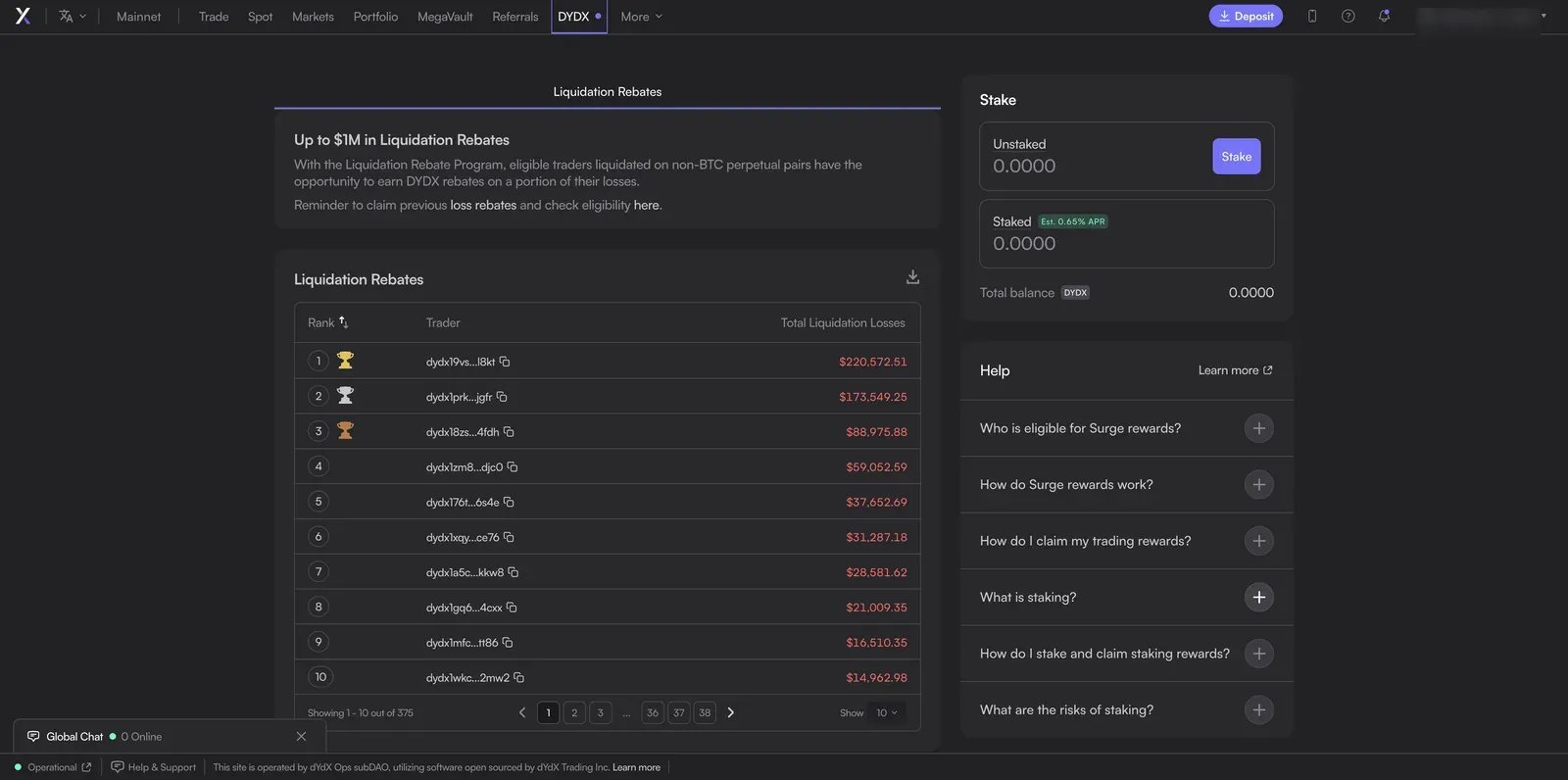
The DYDX tab is where the token lives: stake DYDX to earn a modest estimated APR (and support the chain's security), and a Liquidation Rebate program that returns some DYDX to traders liquidated on non-BTC pairs. dYdX's own disclaimer notes these governance/staking services are provided by third parties, not the interface operator — a distinction worth internalizing about how dYdX is structured (see the footer note below).
The Account Menu: Perps vs Spot Balances
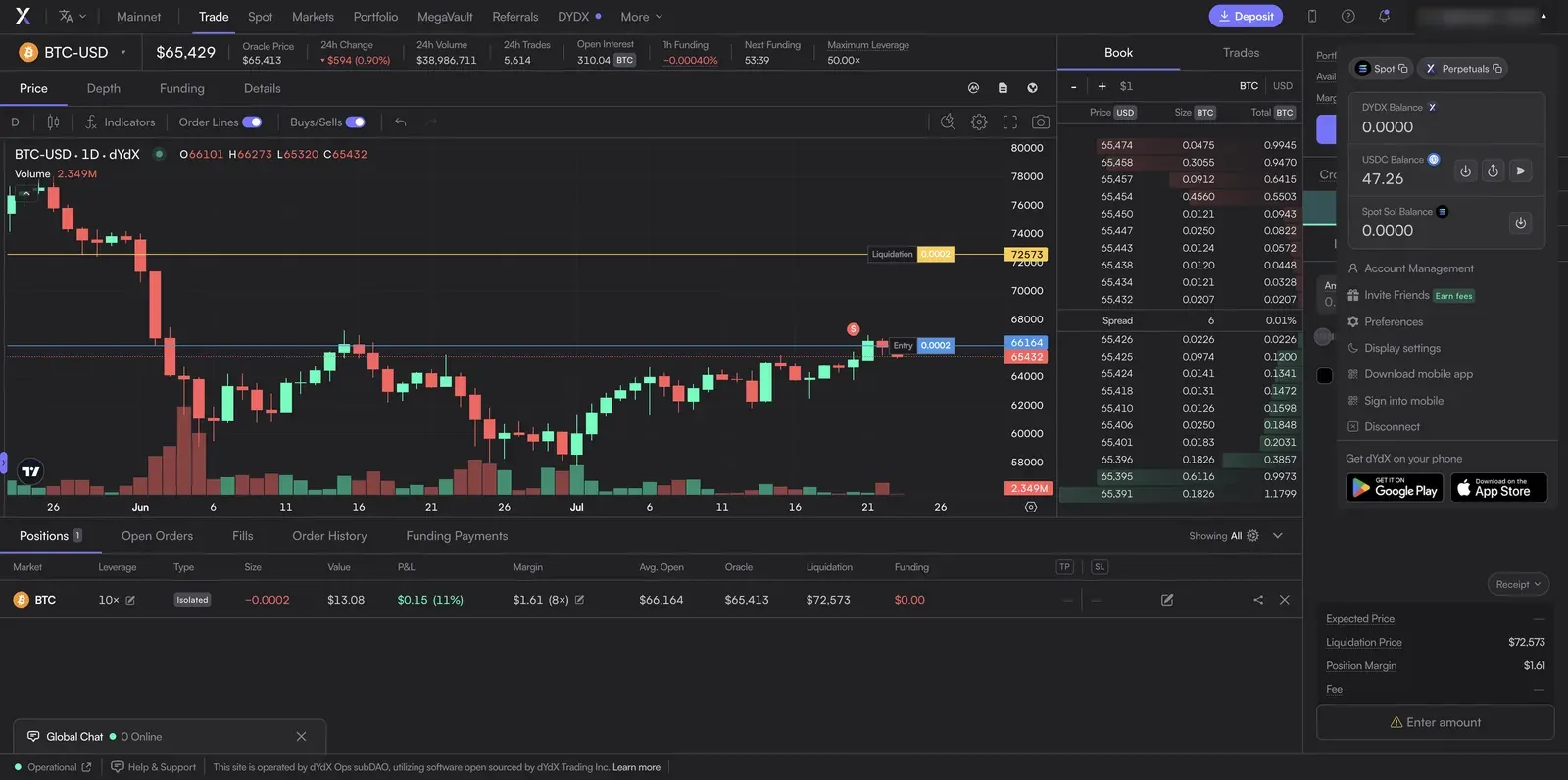
The account dropdown reveals something structural: your Perpetuals balance (USDC collateral for perp trading) and your Spot balance (SOL and Solana tokens) are separate pots. Moving between them is a deliberate step, and it's a common source of "where did my money go" confusion for newcomers — the funds you deposited for perps don't automatically show up on the Spot side.
Who Actually Runs This? The Footer Matters
The small footer line is more important than it looks: "This site is operated by dYdX Ops subDAO, utilizing software open sourced by dYdX Trading Inc." The interface you're using is run by a community sub-organization, on top of open-source software, on a chain "powered by a community of independent validators" — there is no single company operating dYdX the way Binance operates Binance. The same terms prohibit use "by persons based in the United States or other restricted jurisdictions." That decentralized structure is a large part of dYdX's appeal and also why, as our dYdX review covers, the responsibility for using it correctly sits entirely with you.
Frequently Asked Questions
Does changing target leverage re-risk my open position?
No. Per the docs, adjusting target leverage "will not transfer any collateral until a new order is placed" — it sets how much margin your next order commits, not the risk of a position you already hold. To change an open position's risk, add or remove margin via the pencil in the positions table.
Why is the Spot tab full of memecoins?
Because dYdX's Spot section is a Solana token terminal, separate from its perpetuals. It's for buying tokens outright, not trading perps, and it carries the risks of low-cap token speculation. If you came for perps, you want the Trade tab, not Spot.
Can I still earn yield in MegaVault?
The live banner says the community voted to restrict MegaVault to closing existing positions only — i.e. it's winding down, not actively market-making. Check dYdX's own current status before treating it as an earning venue; the displayed APR reflects a closing-only product.
Open dYdX (opens in a new tab)
New accounts that sign up through a referral link start at a boosted fee tier — see our dYdX referral page.
This page contains affiliate links. Screenshots are of our own account and carry no compensation from dYdX; values shown were live on the capture date and change constantly. See our methodology.