⚠︎ Risk warning: leveraged derivatives on unregulated platforms — you can lose everything you deposit. Not investment advice.
The GMX Screen, Explained
Definitions verified against GMX's official docs on 2026-07-23. Screenshots are from our own account, taken the same day — the numbers in them were live then and will differ now.
GMX looks like the order-book venues at a glance, but under the hood it works differently enough that a newbie should understand the model before clicking anything: there's no order book. You trade against shared liquidity pools, an oracle sets your price, and a keeper executes your order in a second transaction. This page walks the interface control by control, using screenshots from our own account. New to GMX? Start with the how-to-start guide; new to perps, read the perpetuals explainer first. We did the same tour for Hyperliquid and dYdX if you want to compare the models.
The Trade Screen at a Glance
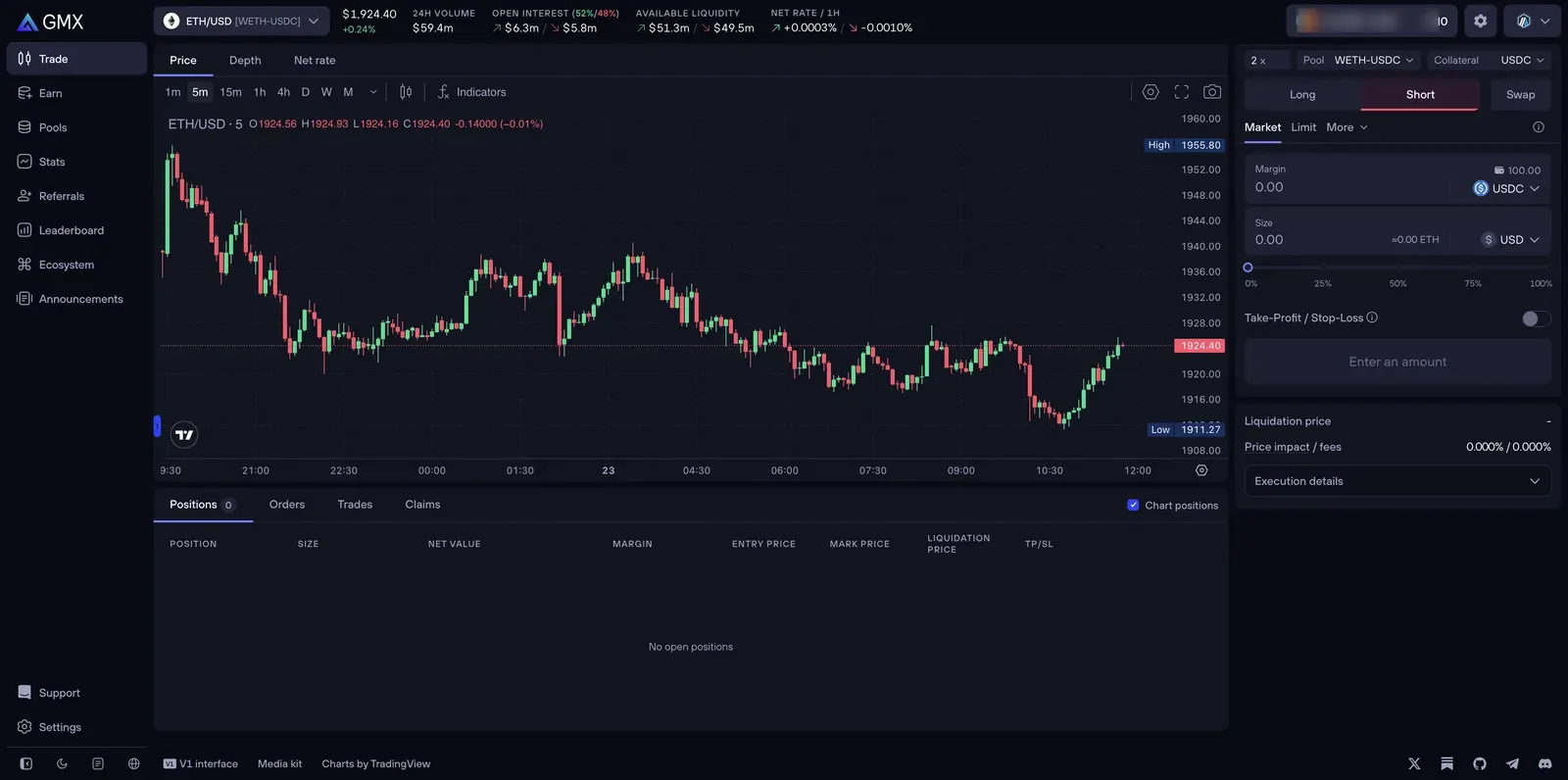
The layout: a market header across the top, the chart in the middle, and the order panel on the right. Because there's no order book, GMX gives that space to the trade box's pool and collateral controls instead — the settings that actually shape a GMX position.
Long, Short, Swap
Three tabs: Long and Short open leveraged perp positions; Swap does a plain spot token swap. Worth knowing per the docs: GMX swaps are "routed through GM pools" — the same liquidity that backs perps — so the swappable tokens are the collateral tokens across active pools. It's a genuine spot swap, not a perp.
The Two Selectors That Make GMX Different: Pool and Collateral
This is the part no other venue on this site has, and the part newbies most need to understand. GMX V2 lets you choose which pool your trade uses and which token holds your collateral, and both choices have real consequences the docs spell out:
- Pool — a market can have more than one pool (e.g. BTC-USDC and BTC-USDT). Per the docs, each pool "may have different funding/borrowing rates and price impact levels depending on its balance," so the pool you pick changes your running costs.
- Collateral — you choose which token backs the position, and this changes your exposure. The docs' own example: a long ETH position with ETH collateral gains exposure "from both the long position and the collateral itself"; the same long with USDC collateral has "exposure only from the position." Use non-stablecoin collateral and "your liquidation price may change as the collateral's price fluctuates." For a first trade, stablecoin collateral keeps the mental model simple — your risk is just the position.
Margin, Size, and Leverage
The trade box has three linked fields, per the docs: Margin (what you deposit), Size (the total position, toggleable between USD and token units), and Leverage (the "2×" control at the top — click it for a slider and manual input). They're interconnected: with manual leverage on (the default), you set leverage plus one field and GMX computes the third — the docs' example, "10x leverage and 100 USDC margin gives a 1,000 USD position size." The percentage slider (0–100%) below then adjusts margin as a share of your available balance. Start with low leverage and a small margin; the slider makes it easy to accidentally commit everything.
Order Types: Market, Limit, and "More"
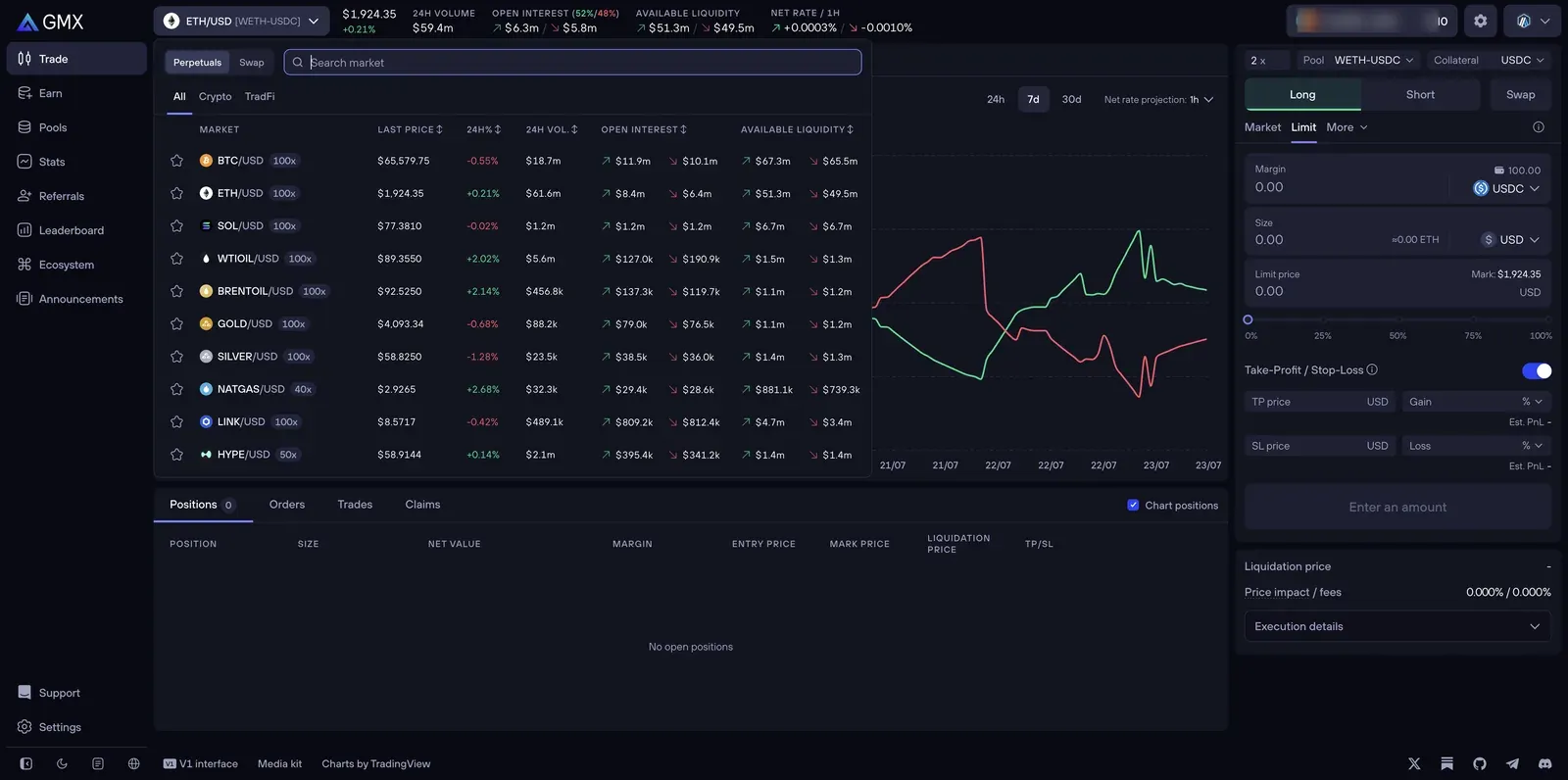
Order-entry tabs are Market, Limit, and More. Per the docs:
- Market — executes immediately at the current oracle price.
- Limit — you set a trigger price; when the oracle price reaches it, a keeper opens the position at that oracle price.
- Stop Market (under More) — opens or increases a position when the oracle price hits your stop; longs and shorts only, not swaps.
- TWAP (under More) — splits an order into evenly-timed parts (2–30, default 5, over a default 10 hours) to spread a large trade over time.
Take-Profit / Stop-Loss is the toggle in the trade box (not a "More" entry) — set a TP price to lock gains and an SL price to cap losses. The docs' own warning is worth repeating: "A Stop-Loss is a trigger order, not a guaranteed exit before liquidation" — in a fast move, liquidation can beat it.
One thing the market list shows off: GMX isn't just crypto. The TradFi tab lists gold, silver, oil, and natural-gas perps alongside BTC and ETH — a distinctive GMX feature, and a reminder that leverage caps vary by market (100x on majors, lower on commodities).
The Header: Net Rate, and Why There Are Two Prices Behind the Scene
The displayed price is the mark price — per the docs, the midpoint of the oracle's price spread, used for charts and funding. The header also shows 24h Volume, Open Interest with a long/short split (the "52%/48%" you see is how balanced the two sides are), Available Liquidity, and Net Rate / 1h.
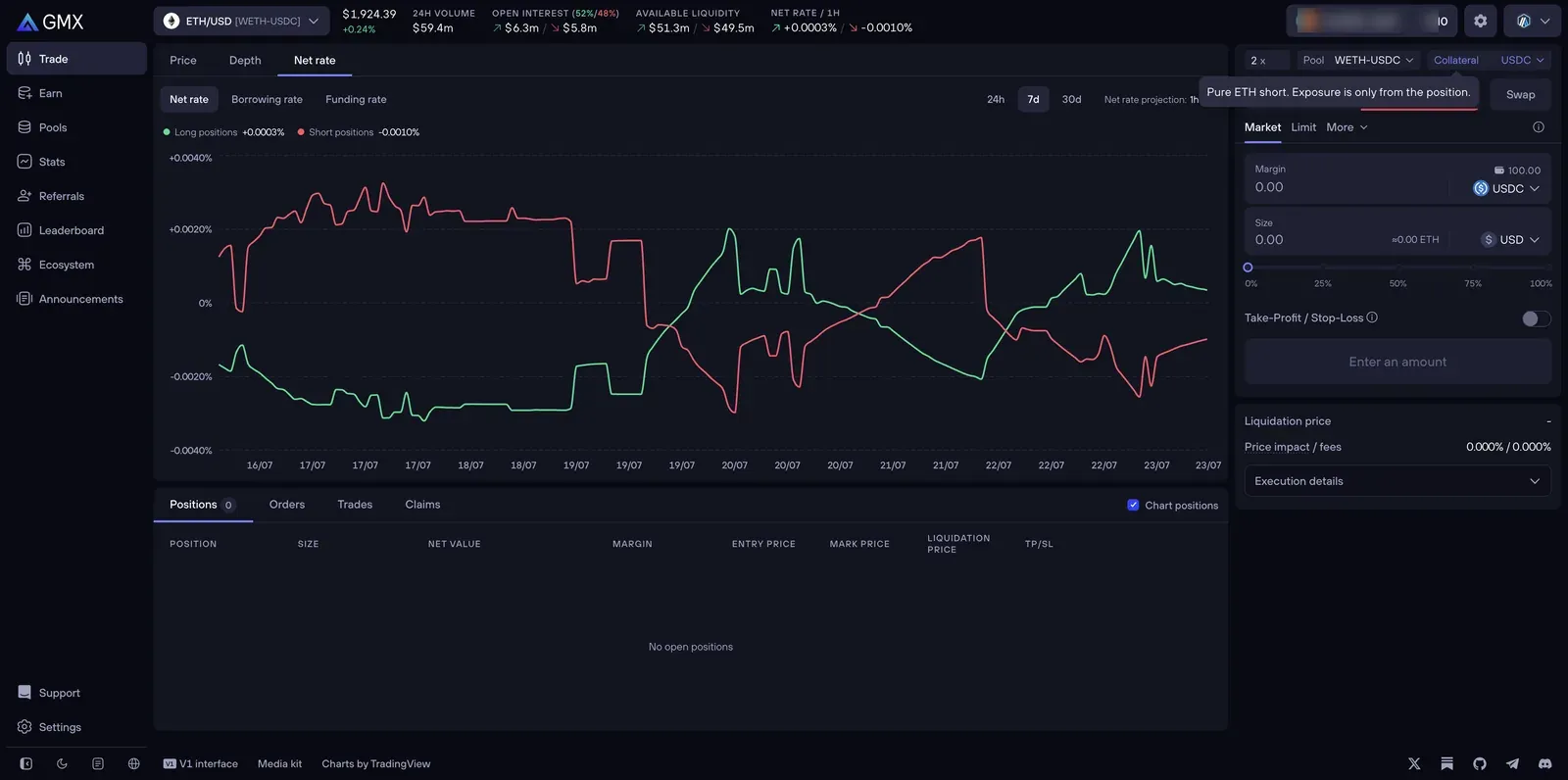
Net Rate deserves care. GMX charges two separate ongoing costs — a borrowing fee (paid by the side with larger open interest) and a funding fee (paid by the dominant side to the other) — and the Net Rate is the combined figure GMX shows per side, chartable here alongside the borrowing and funding rates on their own tabs. We're describing it as a combined rate rather than giving a formula, because GMX's docs name the field but don't publish the exact combination. The practical takeaway: a negative net rate on your side means holding costs you per hour; a positive one means you're paid — and it accrues the whole time the position is open. Our GMX fees page breaks down the components.
Execution Details, Price Impact, and the Keeper
The Execution details dropdown previews liquidation price, fees, network fee, allowed slippage, and price impact before you submit. Two GMX-specific mechanics hide here:
Price impact works backwards from what you'd expect. Per the docs, opening a position incurs no price impact at entry — the entry price is just the oracle price. Impact is calculated from how your trade shifts the pool's long/short imbalance and is "only applied when you close or decrease a position — hence the name 'net price impact.'" Balancing the pool can even credit you; imbalancing it charges you.
Every trade is two transactions. The docs: "Every trade on GMX involves two transactions: your request and the keeper's execution." You send a request; a keeper observes it and executes it in a separate transaction a moment later, at the oracle price. The network fee covers that keeper's gas, and unused gas is refunded. This two-phase design exists to prevent front-running — but it's why a GMX order isn't instant the way a CEX click is, and why you'll see a brief "pending execution" step. Nothing is wrong; that's the model.
Trading Modes: Classic, Express, One-Click
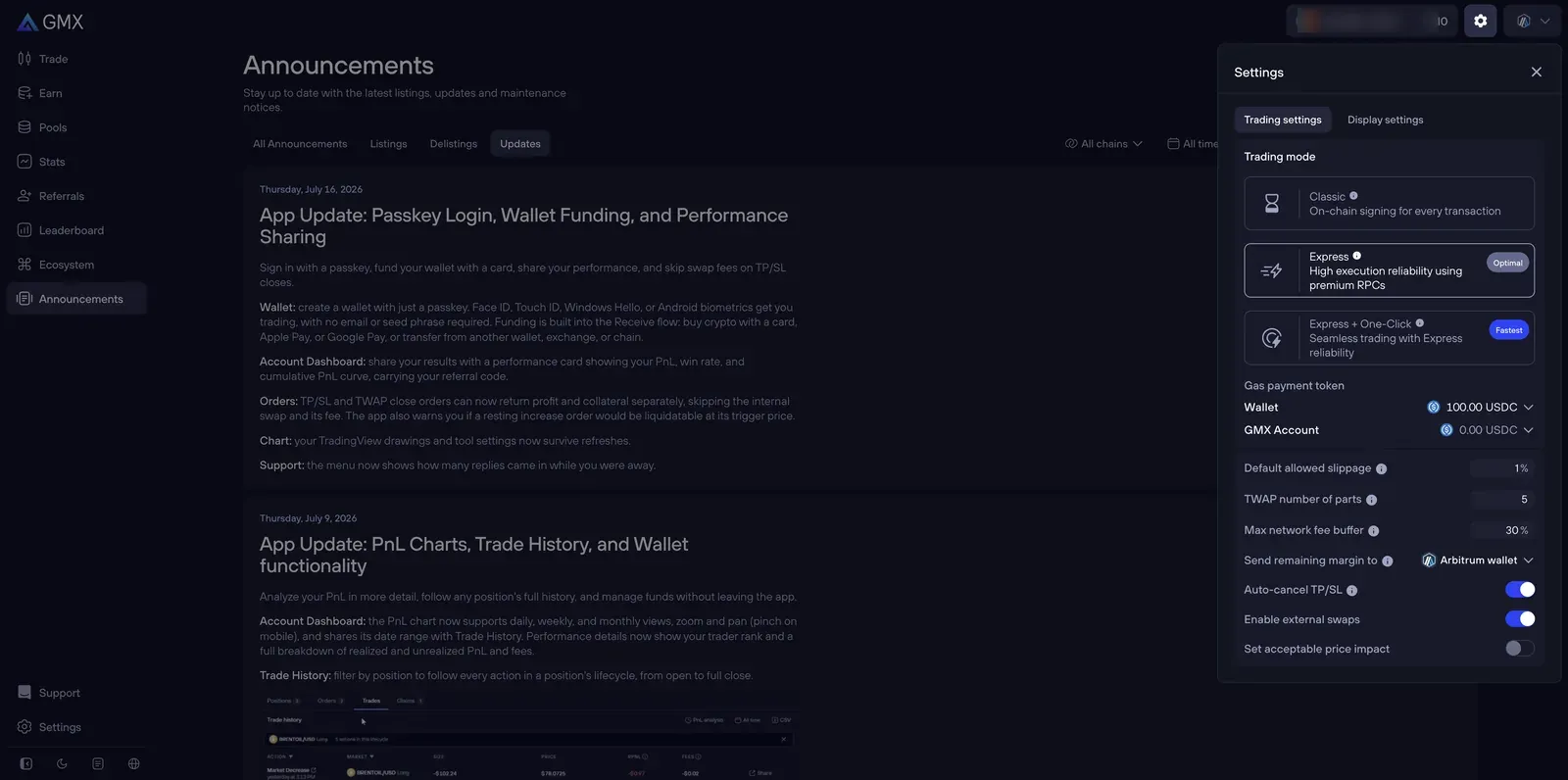
The settings gear offers three modes: Classic (sign every transaction in your wallet), Express (smoother execution via premium RPCs, no per-trade gas token needed), and Express + One-Click (trade without a signing popup each time). One-Click is convenient and bounded — you authorize a set number of actions — and, per the docs, funds from closing positions can only return to your own wallet. Our how-to-start guide covers when each mode makes sense and the smart-wallet caveat.
Earn: GMX, GM, and GLV
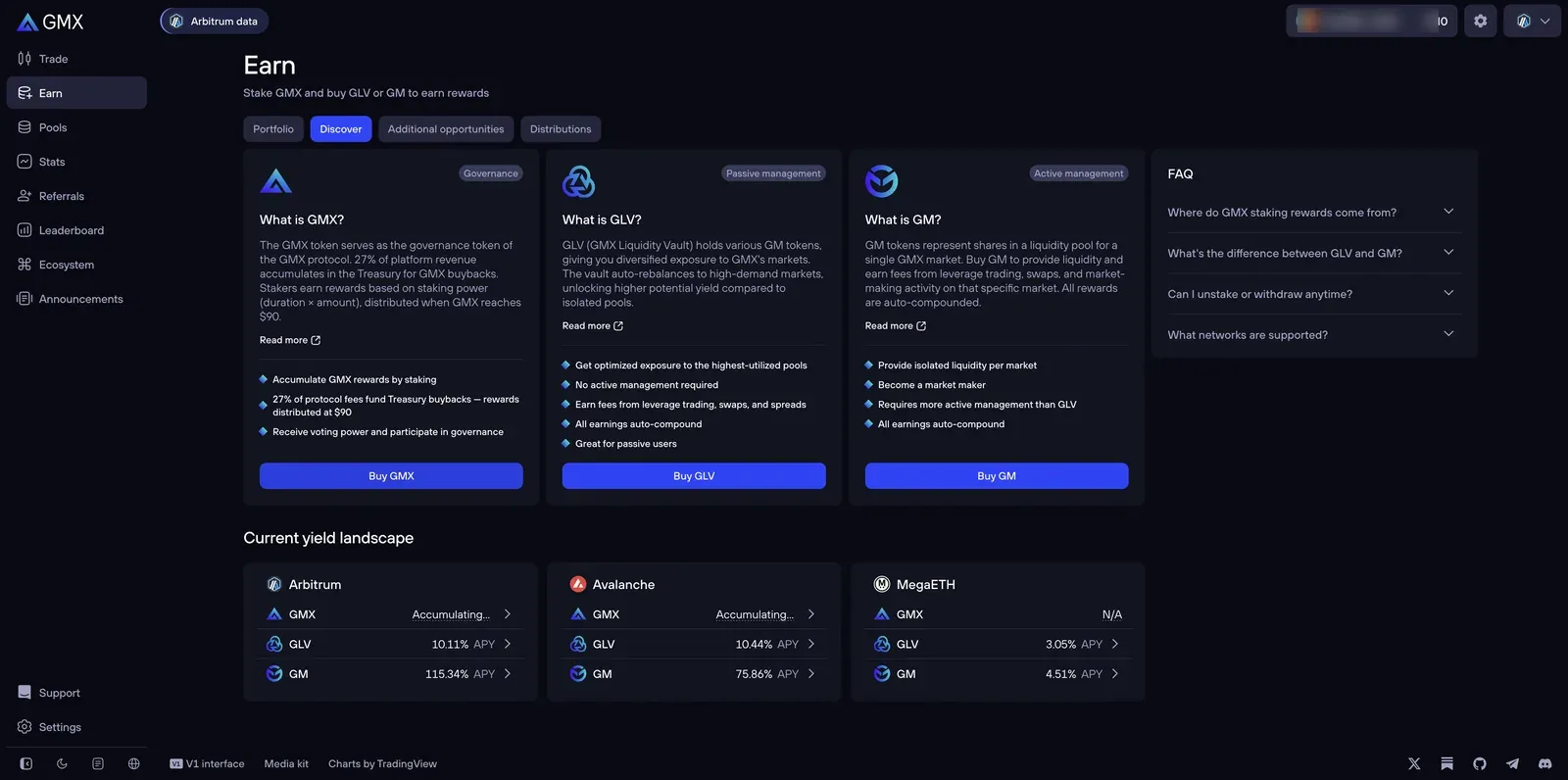
GMX's Earn page explains its own three-part structure cleanly, and it maps to how you'd earn on GMX. GMX is the governance token — staking it earns a share of protocol fees (the docs put it at 27% of fees funding buybacks). GM tokens are shares in a single market's liquidity pool — you become that market's counterparty and earn its trading fees, risk-isolated to that one market. GLV is a vault holding multiple GM tokens, auto-rebalanced across markets for a more diversified, passive version. The screenshot shows live APYs (GM at 115% on Arbitrum here) — but remember the engine: GM/GLV depositors are the house, so those yields are realized results of taking the other side of trades, exactly as our earning guide frames vault income. They are not a fixed rate.
Third-Party "Additional Opportunities"
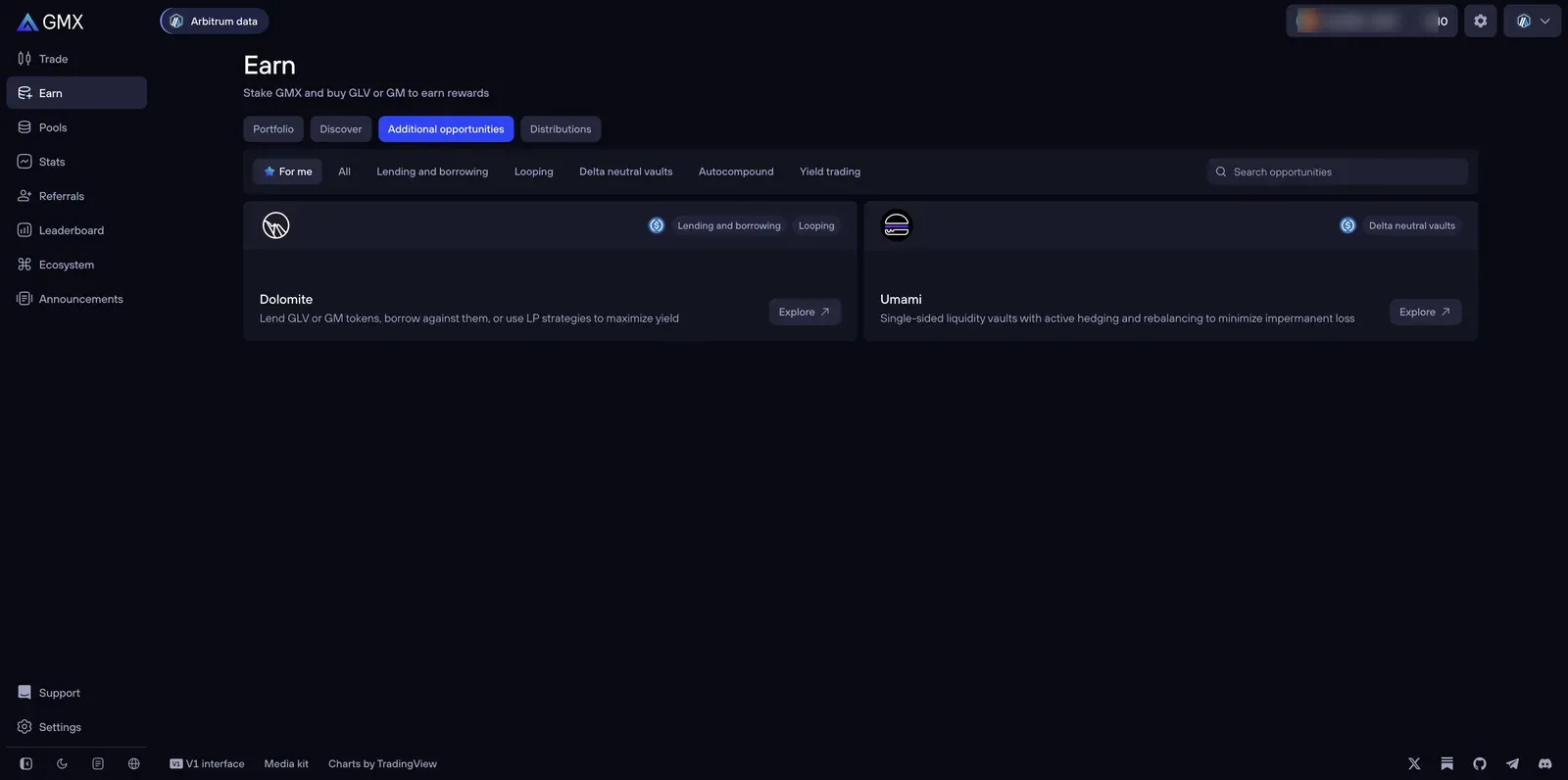
GMX also surfaces third-party protocols (Dolomite, Umami and others) built on top of GM/GLV tokens — lending, looping, delta-neutral vaults. These aren't GMX itself; they're separate protocols with their own smart-contract risk, layered on top of GMX's. Useful to know they exist, but each is its own due-diligence exercise, and layering protocols multiplies the ways a position can fail.
The Leaderboard
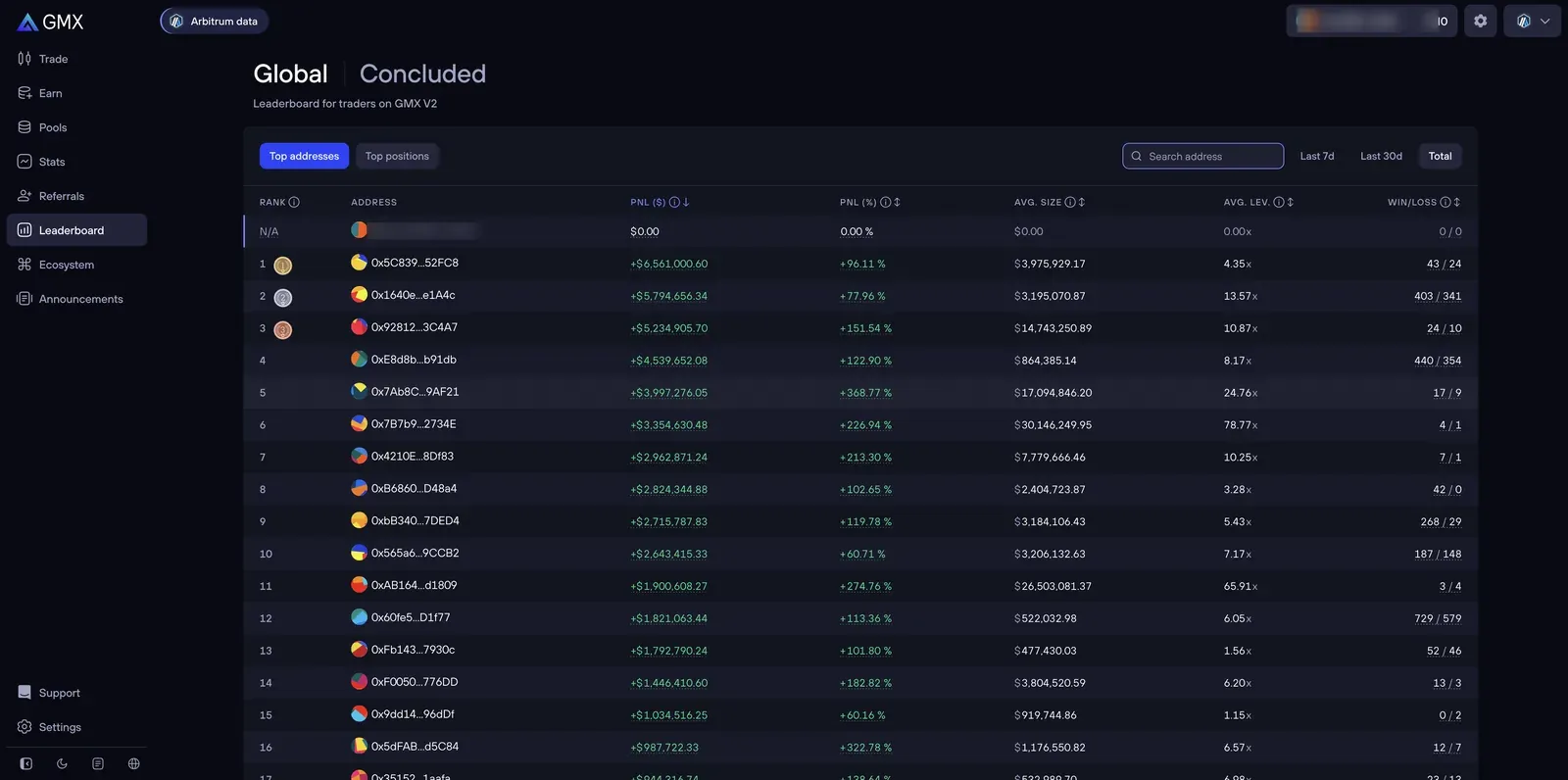
The Leaderboard ranks GMX V2 traders by profit. It's genuinely worth a look for a sobering reason: notice the win/loss columns and the leverage. The eye-catching returns often come with high leverage and plenty of losing trades mixed in — and for every headline number here, the losing side isn't shown. Read it as a reminder of variance, not a strategy to copy.
One Honesty Note: "V1 Interface"
You may spot a "V1 interface" link in the footer. Don't mistake it for an alternate place to trade. Per GMX's own docs, "Trading on V1 has been phased out since July 2025" — the V1 site exists only so users can close pre-existing V1 positions. Everything this page describes is GMX V2, the live product; V1 is a wind-down path, not a choice.
Frequently Asked Questions
Why does my GMX order take a moment to execute?
Because every GMX trade is two transactions: your request, then a keeper's execution at the oracle price a moment later. It's by design — the delay is what prevents front-running — and the network fee covers the keeper's gas, with any unused portion refunded.
Does it matter which collateral token I pick?
Yes. Stablecoin collateral means your risk is just the position. Volatile collateral (like ETH backing a long ETH position) adds the collateral's own price swings to your exposure and moves your liquidation price as it fluctuates. For a first trade, stablecoin collateral is the simpler choice.
Is the yield on GM/GLV pools guaranteed?
No. GM and GLV depositors are the counterparty to traders — the displayed APY is the realized result of that flow (trading fees minus trader winnings), plus smart-contract risk. When traders win, the pool loses. See our earning guide.
This page contains affiliate links. Screenshots are of our own account and carry no compensation from GMX; values shown were live on the capture date and change constantly. See our methodology.