⚠︎ Risk warning: leveraged derivatives on unregulated platforms — you can lose everything you deposit. Not investment advice.
The Lighter Screen, Explained
Definitions verified against Lighter's official docs on 2026-07-23. Screenshots are from our own account, taken the same day — the numbers in them were live then and will differ now.
Lighter's trade screen looks familiar — order book, chart, order panel — but the platform has a few genuinely distinctive quirks a newbie should understand: your account is created by depositing (not by clicking "sign up"), fees are zero unless you deliberately opt into a faster tier, and the markets include real-world assets like stocks and forex. This page walks the interface control by control, using screenshots from our own account. New to Lighter? Start with the how-to-start guide; new to perps, read the perpetuals explainer first. We did the same tour for Hyperliquid, dYdX, GMX, and Aster.
The Trade Screen at a Glance
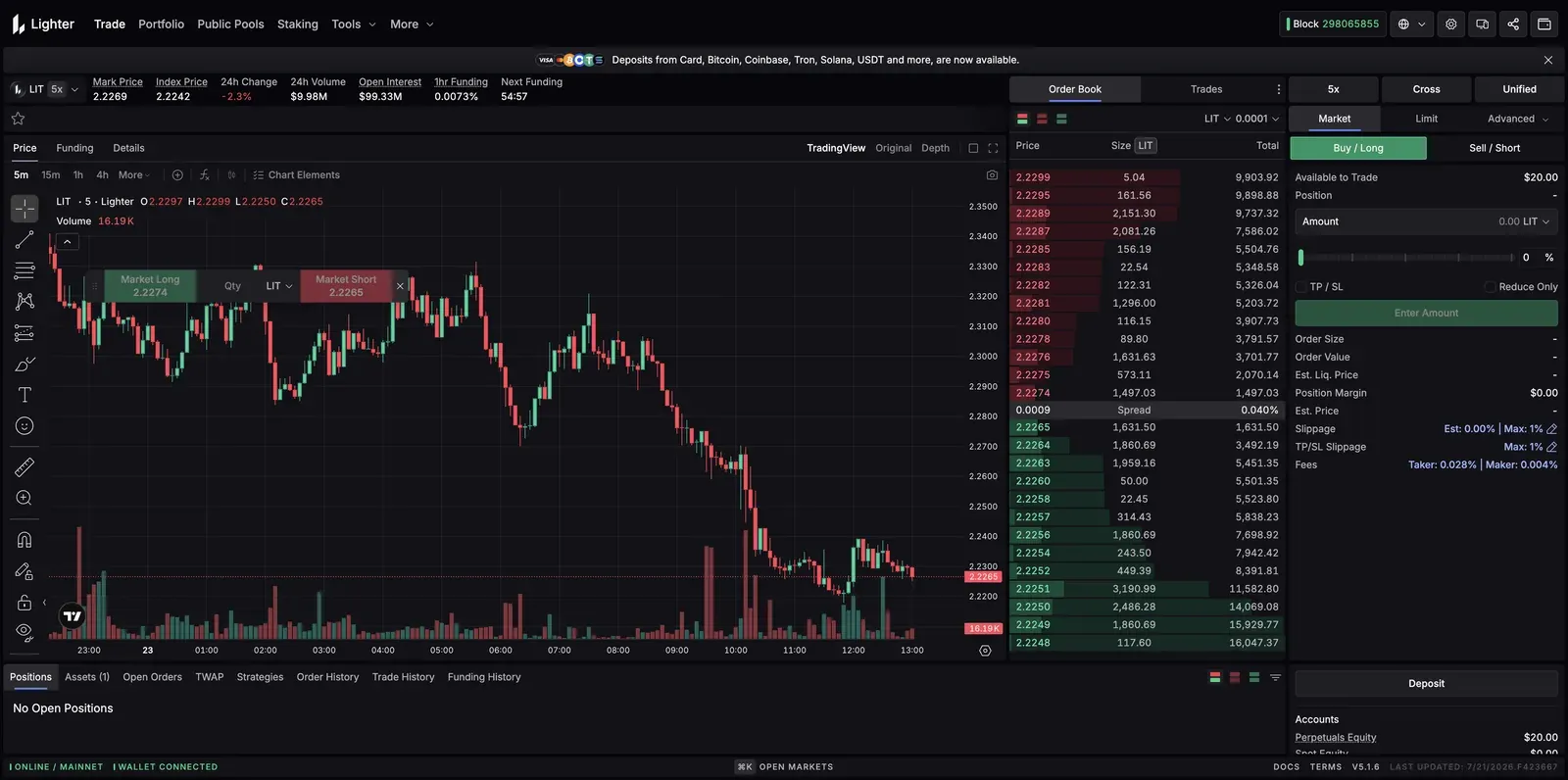
Standard layout: a market header up top, the chart, the order book, and the order panel on the right, with your positions along the bottom. The header shows Mark Price, Index Price, and 1hr Funding with a countdown to the next settlement — per the docs, "funding payments occur at each hour mark," and positive funding means longs pay shorts.
The Order Panel: 5x, Cross, Unified
Three controls sit above the order form. The leverage pill (the "5x") sets how much of your balance each order commits. Cross opens the margin-mode dialog, and Unified is the account mode (a single balance across your positions). Order-entry tabs are Market, Limit, and Advanced. Lighter documents a wide order set behind these:
- Market / Limit — immediate execution, or your price-or-better.
- Stop-Loss / Take-Profit (and their limit variants) — trigger orders that fire at a set price to cap losses or lock gains.
- TWAP and Advanced TWAP — split a large order over time; the advanced version adds execution-style options (Passive, Neutral, Aggressive).
- Chase Limit Orders — per the docs, they "automatically adjust their limit price to maintain a competitive position in the order book."
- Atomic Orders — "build a basket of positions across multiple markets and execute the entire trade in a single transaction."
The checkboxes: TP/SL attaches exit triggers; Reduce-Only, per the docs, "ensures that changes to the position only move it closer to zero" — a safety worth using on exits. Post-Only (an execution option) guarantees your order rests as a maker.
Cross vs Isolated
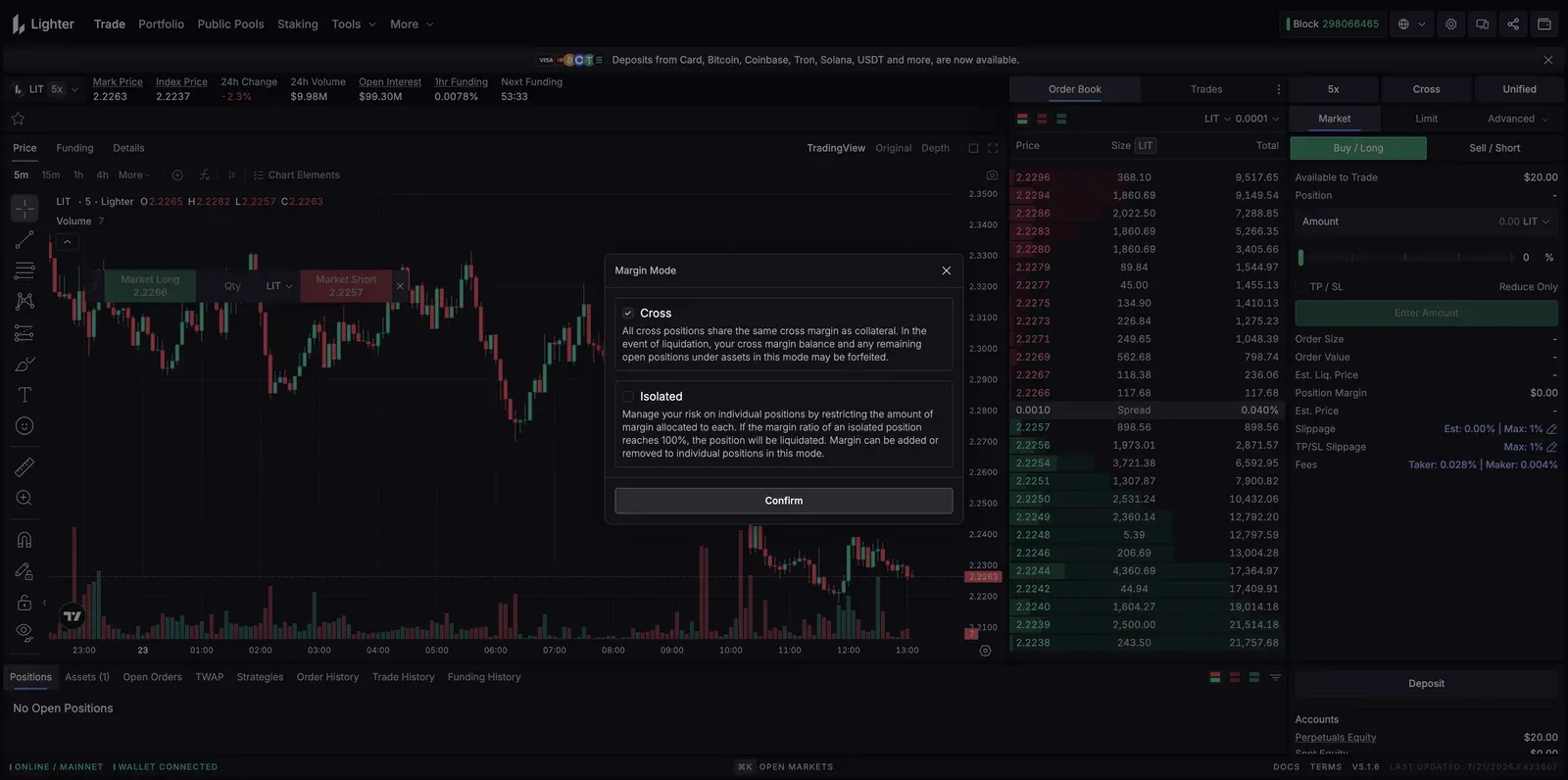
The margin-mode dialog spells out the trade-off in Lighter's own words. In Cross, "all cross positions share the same cross margin as collateral" — efficient, but on liquidation your whole cross balance can be forfeited. In Isolated, margin is "restricted to a certain amount" per position, and only that position is liquidated "if the margin ratio of an isolated position reaches 100%." For a first trade, isolated with a small assigned margin keeps a mistake contained. Leverage caps are per-market, per the docs: up to 50x on BTC and ETH, scaling down to as low as 3x on the riskiest long-tail markets.
Depositing Creates Your Account
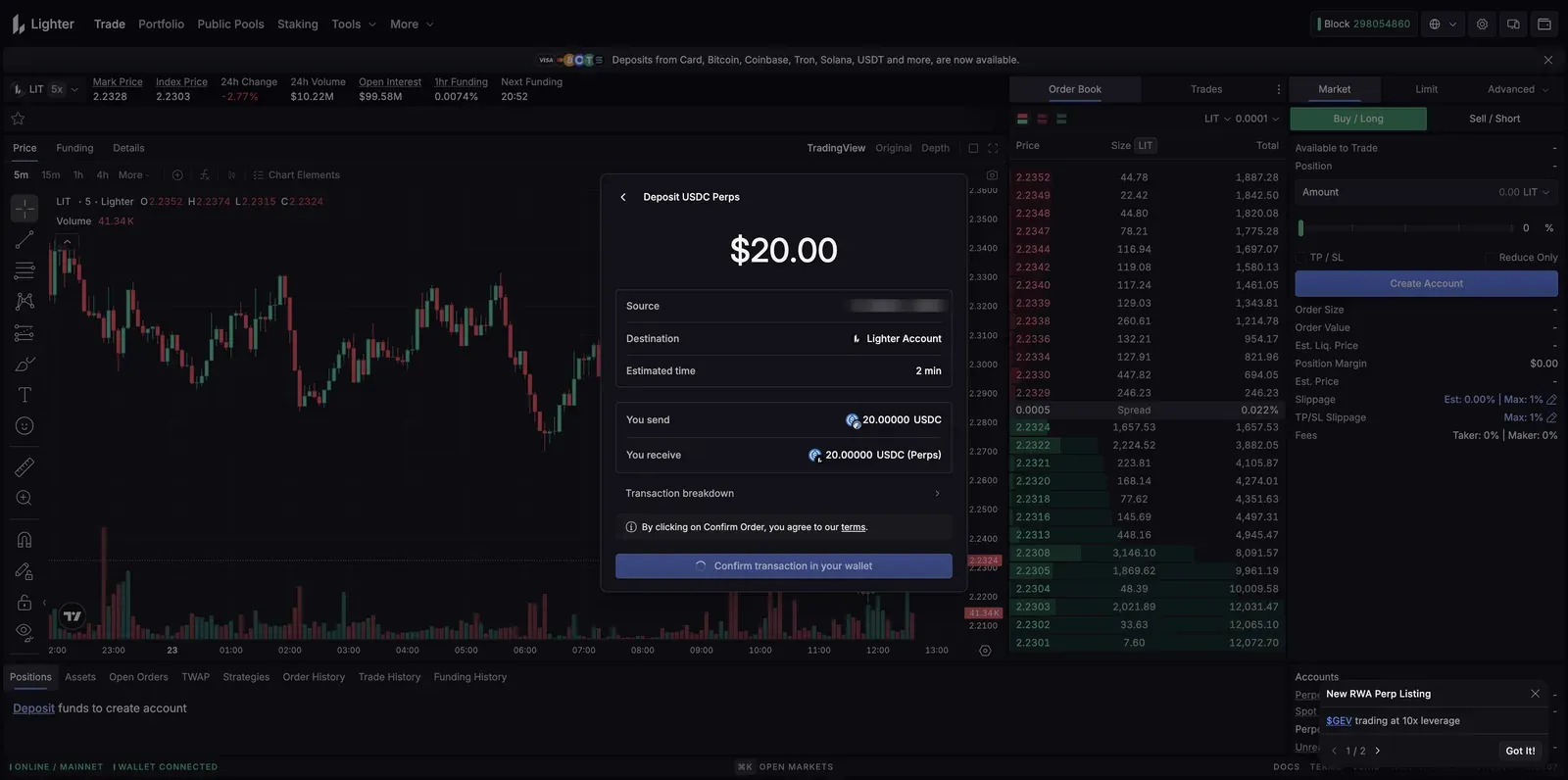
Here's the quirk that catches newcomers: there's no separate "sign up." Per the docs, "to create a Lighter account, you can simply deposit some assets" — the deposit is the account creation, which is why the order panel shows a Create Account button and the positions tab reads "Deposit funds to create account" until you do. The perps account takes USDC specifically. The banner across the top — "Deposits from Card, Bitcoin, Coinbase, Tron, Solana, USDT and more" — reflects a newer multi-asset on-ramp that's live on the app; Lighter's docs don't yet describe its mechanics, so we flag it as real but undocumented rather than detail it. Our how-to-start guide covers the core USDC deposit path.
The Defining Choice: Standard vs Premium
This is Lighter's single most important concept, and it's a fee-vs-latency trade, not a feature gate. New accounts are Standard by default: per the docs, 0% maker and 0% taker — genuinely free trading — with a taker latency of about 300ms. The opt-in Premium tier charges real fees (0.0040%/0.0280% base, discounted by staking LIT) in exchange for lower latency: 140 ms taker latency at every staking level per the schedule read 2026-09-16. For a newbie trading by hand, Standard's latency is irrelevant and the zero fee is real — you'd only want Premium for high-frequency or latency-sensitive strategies. Switching tiers is allowed once every 24 hours, with no open orders or positions. The full grid is on our Lighter fees page.
One honest note on what you'll see: the fee readout in the order panel can show non-zero Premium-style rates depending on the market and account state, so don't assume "0%" universally — check the Fees line in the panel before you trade, and read the fees breakdown for which tier you're on.
The Markets: Crypto, Stocks, Forex, and More
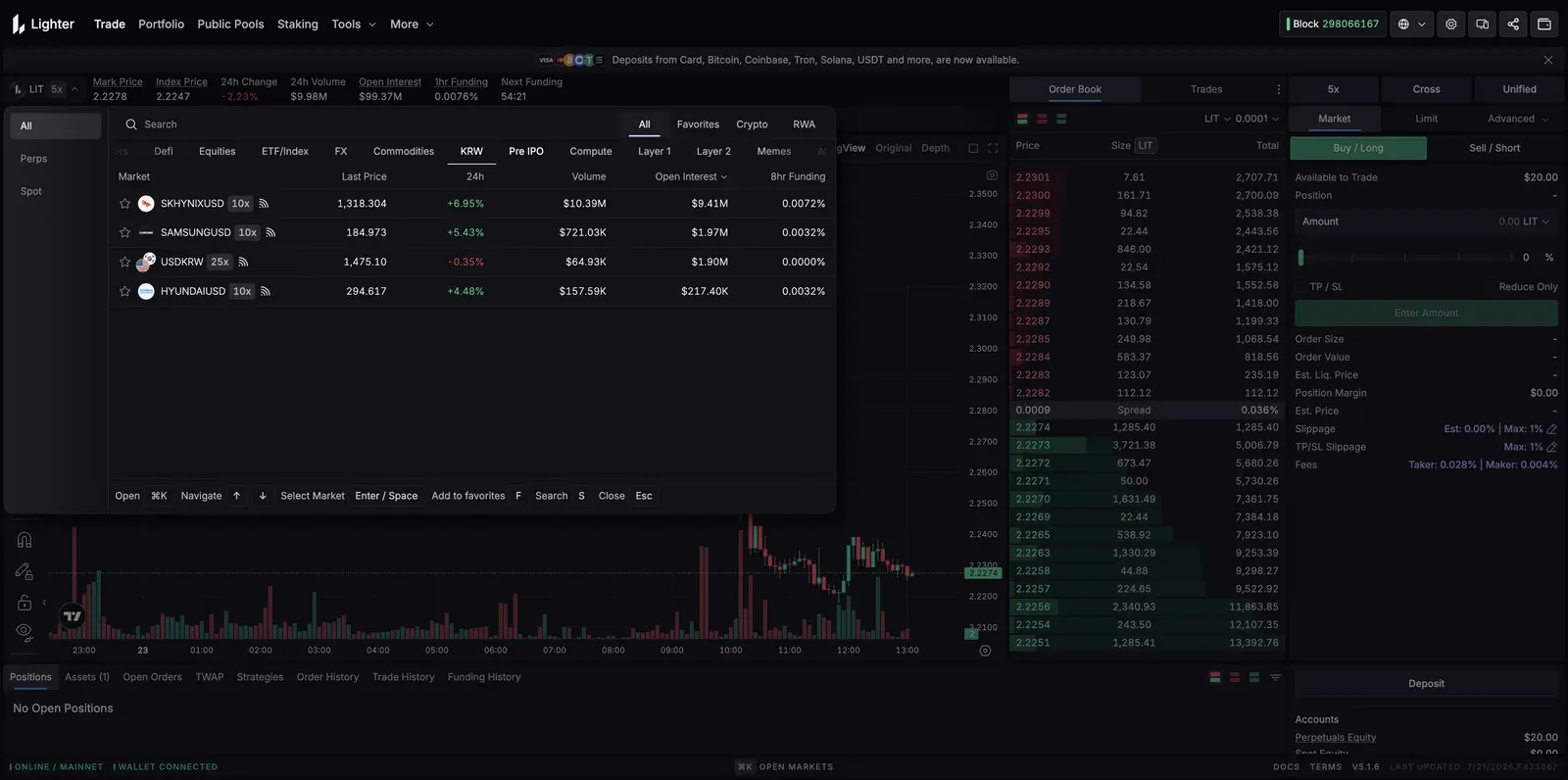
Opening the market picker reveals something unusual for a perp DEX: alongside crypto, Lighter lists real-world-asset (RWA) markets — individual stocks (SK Hynix, Samsung, Hyundai), forex pairs (USD/KRW), commodities, and even pre-IPO and compute categories. These are perpetual contracts tracking those assets' prices, not the assets themselves. Per the docs, RWA markets support both isolated and cross margin (with cross currently restricted on some), and the most experimental ones — pre-launch/pre-IPO — are isolated-mode-only by design. It's a genuinely distinctive surface; it's also a lot of unfamiliar, often thinly-traded markets, and the low leverage caps on the obscure ones are the venue signaling their risk.
Three of those categories carry documented mechanics worth knowing before touching them
(verified against Lighter's docs 2026-07-30). Pre-IPO markets price purely
through Lighter's internal mechanism with no price caps, run isolated-only, and —
unlike prelaunch markets — still charge liquidation fees, since LLP acts as a market maker
on them; after the real IPO they're settled or price-adjusted once the fully diluted share
count is clear, with changes announced at least a day ahead. Prelaunch
markets (perps on tokens before their TGE) are deliberately walled off: a separate
XLP pool — "Experimental Liquidity Provider" — supplies their liquidity so LLP has zero
exposure to them, there's no liquidation fee, and a position falling below the close-out
margin is auto-deleveraged directly rather than transferred to LLP. US equity
indices track traditional futures markets 23/5, continuously adjusted back to
implied spot via a published premium-slope model, realigned daily at 5PM ET and rolled all
at once at Friday close — with a public syntheticSpotInfo endpoint disclosing
the exact front-month contract, price-feed provider, and adjustment rate in use. The
pattern to internalize: the further a market sits from plain crypto perps, the more bespoke
its margin and liquidation rules — read the per-market spec before sizing anything.
Public Pools: Copy-Trading, Not a Faucet
The Public Pools nav item is Lighter's version of vault/copy-trading. Per the docs, public pools "allow participants to combine funds under a designated operator who trades on their behalf" — you deposit, receive pool shares, and "profits are distributed to participants after deducting the operator's fee." There's a protocol-run pool (the Lighter Liquidity Provider, or LLP) plus community-operated pools, each with its own operator fee and track record. Strip the packaging and it's delegated trading: you inherit the operator's results, wins and losses alike. Our earning guide frames why that's not a fixed yield.
Staking: LIT Is Live
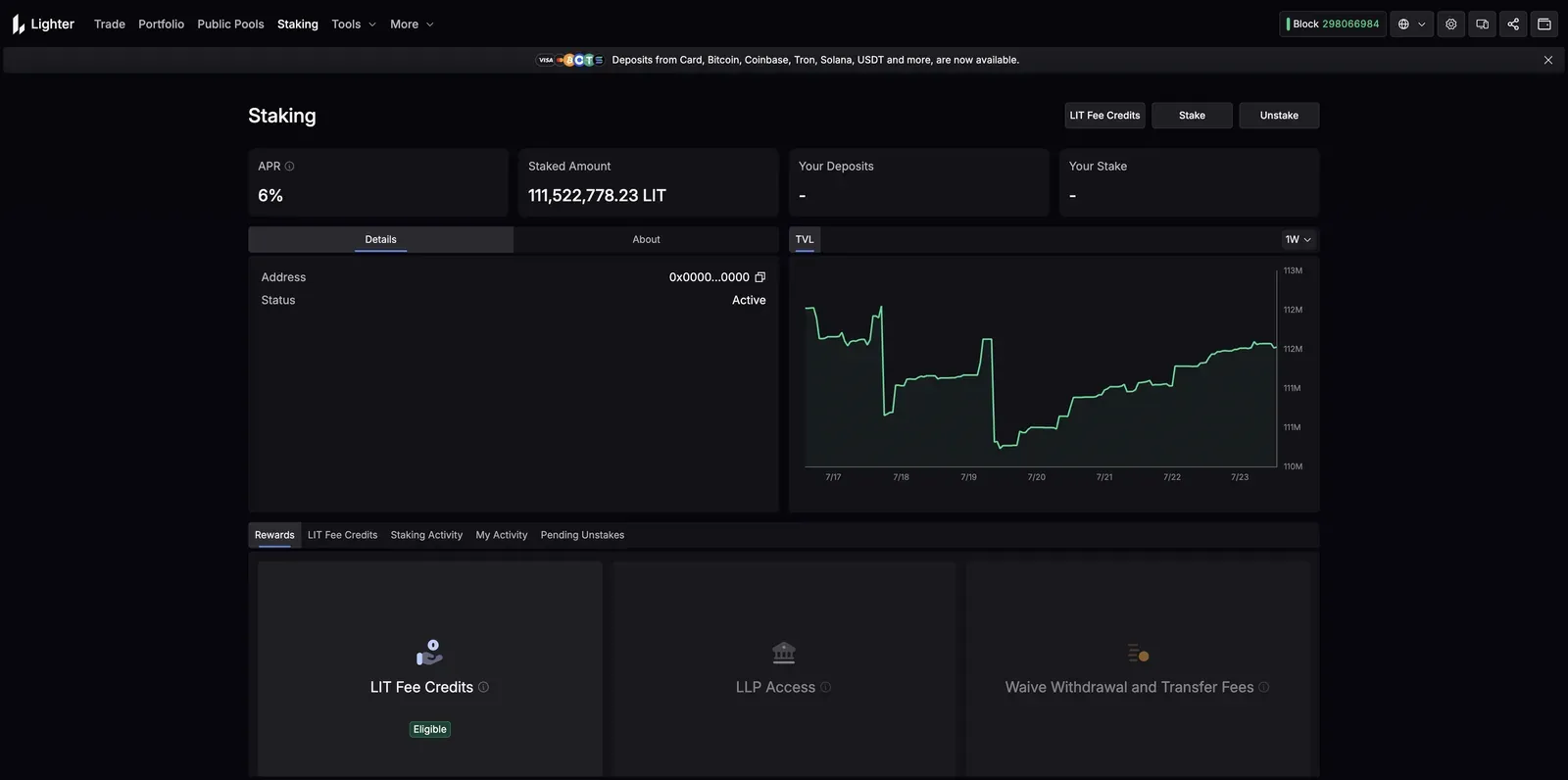
An important update from earlier coverage: LIT is live, and staking is a working feature (verified 2026-07-23), not a placeholder. The staking page shows a documented 6% APR with a 3-day unstake lockup, and staking LIT unlocks real benefits: Premium fee discounts, LLP deposit capacity (1 LIT staked allows up to 10 USDC of LLP deposit), and fee-credit perks. It's still a young token — we don't quote a price, and our Lighter review keeps the token facts to what's documented.
The Ethereum Gateway: The Escape Hatch
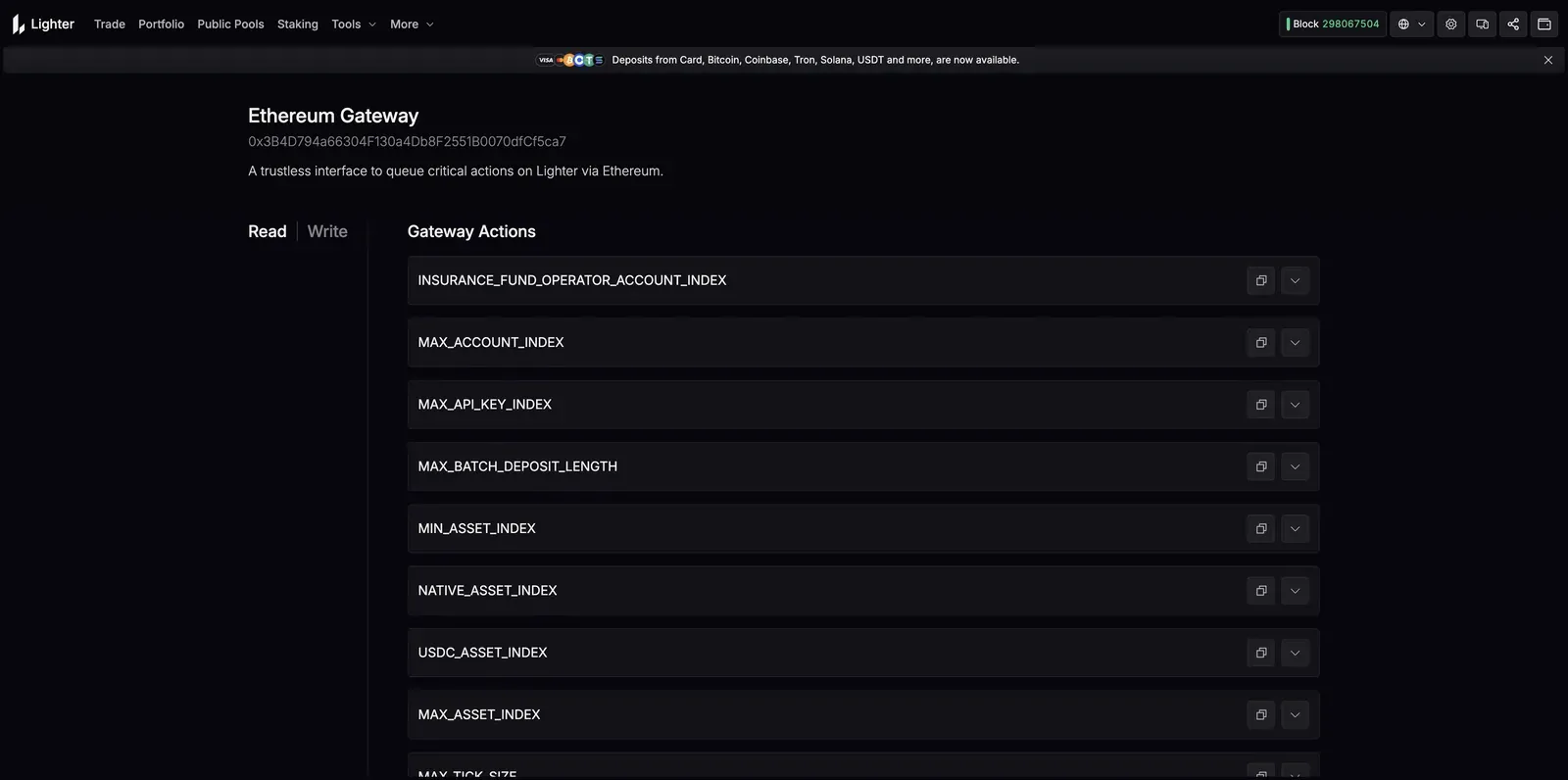
Tucked under Tools, the Ethereum Gateway is worth understanding as a trust property, not a button you'll use daily. The app describes it as "a trustless interface to queue critical actions on Lighter via Ethereum." Because Lighter is a zk-rollup anchored to Ethereum, this gateway is the on-chain path to force critical operations (like withdrawing) directly through Ethereum if you ever needed to bypass Lighter's own interface — the "self-custody still works even if the front-end doesn't" backstop that a rollup design provides. Reassuring to know exists; rarely touched.
Referrals
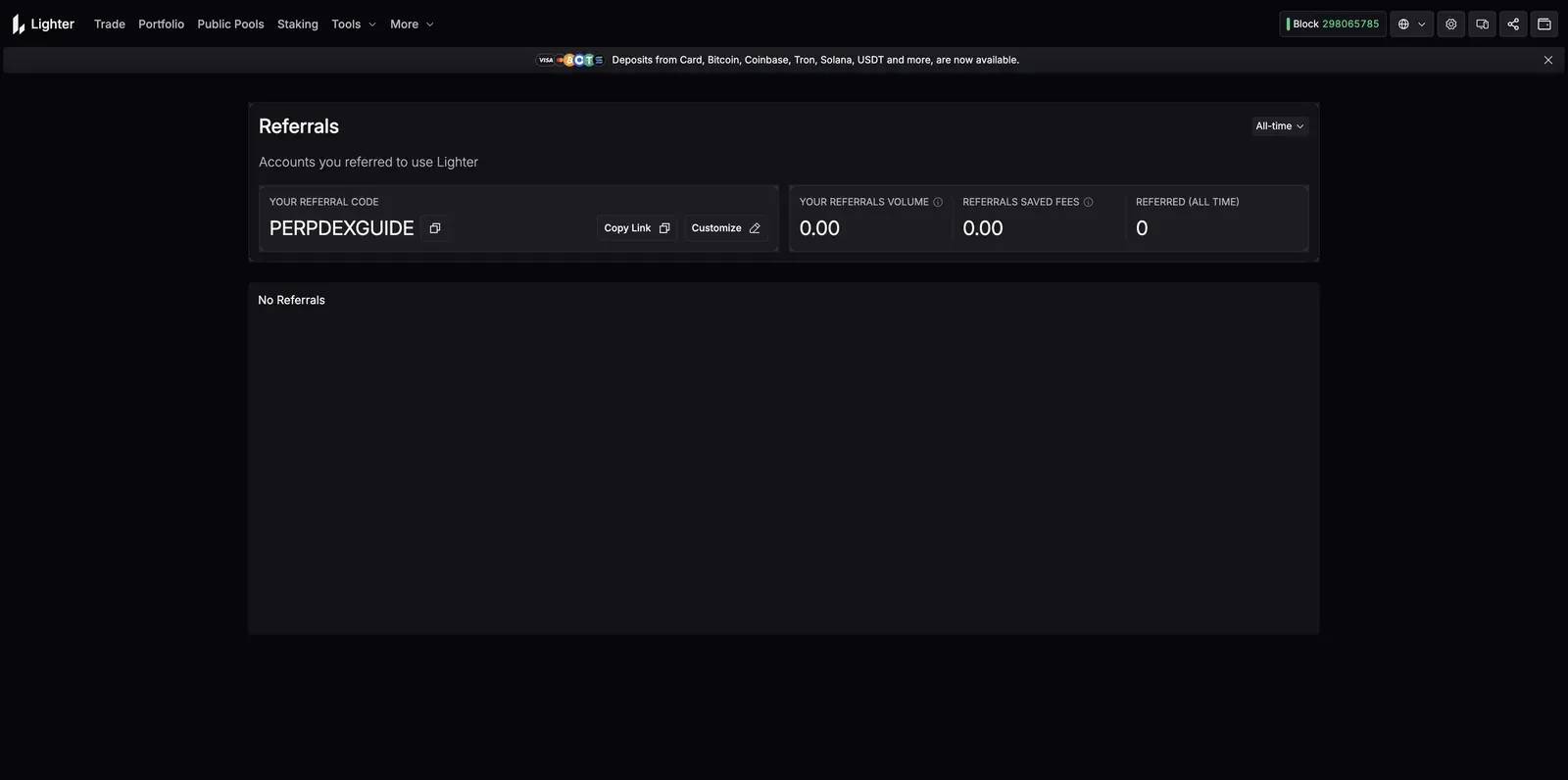
Under Tools, the Referrals page shows your code and stats — referred accounts, their volume, and "referrals saved fees." Lighter does run a referral program in which referred users save on fees, but here's the honest limit: Lighter's official docs don't publish the exact discount or kickback percentages, and third-party sources conflict — so we don't quote a number. If you sign up through our referral link, we may earn a share of fees at no added cost to you (see our methodology); we simply won't invent a benefit figure the docs don't state.
Frequently Asked Questions
Why is there a "Create Account" button instead of sign-up?
Because on Lighter the deposit creates your account — per the docs, "to create a Lighter account, you can simply deposit some assets." Fund the perps account with USDC and the account exists; there's no separate registration step.
Standard or Premium for a beginner?
Standard. It's genuinely 0% maker and 0% taker, and its only cost is a few hundred milliseconds of latency that manual traders never feel. Premium exists for high-frequency strategies that need faster execution and are willing to pay for it.
Are the stock and forex markets real shares?
No — they're perpetual contracts that track those assets' prices, traded from your USDC account. You're not buying Samsung stock; you're taking a leveraged position on its price, with all the liquidation risk perps carry. Many are thinly traded, which the low leverage caps reflect.
This page contains a referral link — we may earn a share of fees if you sign up through it, at no added cost to you. Screenshots are of our own account; values shown were live on the capture date and change constantly. See our methodology.